Ghost.exe presents Screener: see what you're about to tell an AI, before it does
20 November 2026 · Deliverd Engineering Team · 9 min read
Everybody pastes things into AI. A customer's email, to draft the reply. A log file, to find the bug. A note about a colleague who is off sick, to make it sound kind. Most of the time nobody stops to look at what went in with it.
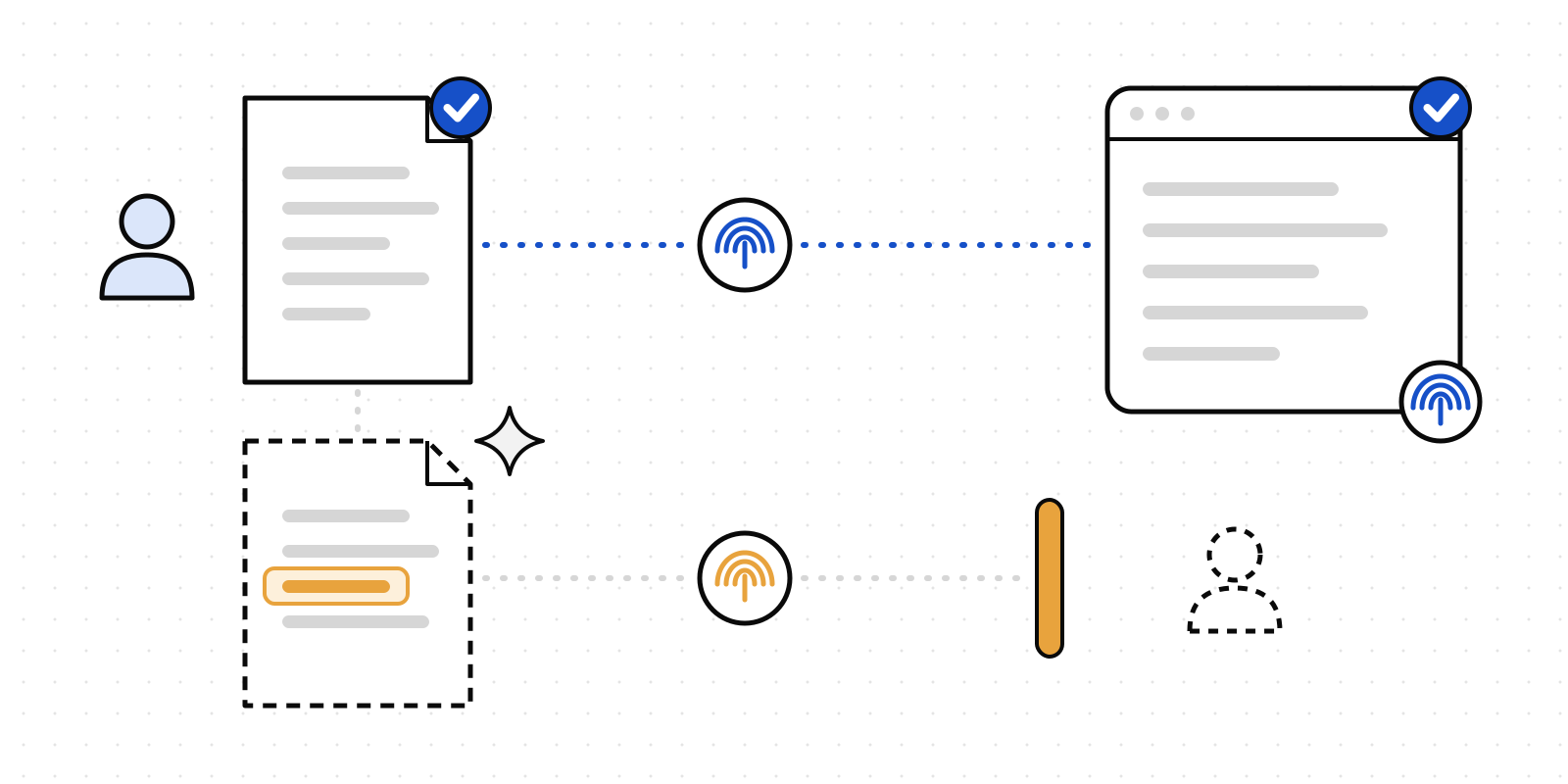
So we spent a weekend building Screener, a small page that looks first. Paste a prompt or drop a file, and it shows you what's in it before anything is sent: email addresses, phone numbers, card numbers, IBANs, national ID numbers, API keys, passwords, health details, and any confidential words of your own. Then it decides what may go.
You can try it now at screener.deliverd.dev. The hosted demo runs entirely in your browser, with a pretend model and you as the approver, so nothing you type leaves the tab. The code is free on GitHub under the MIT licence.
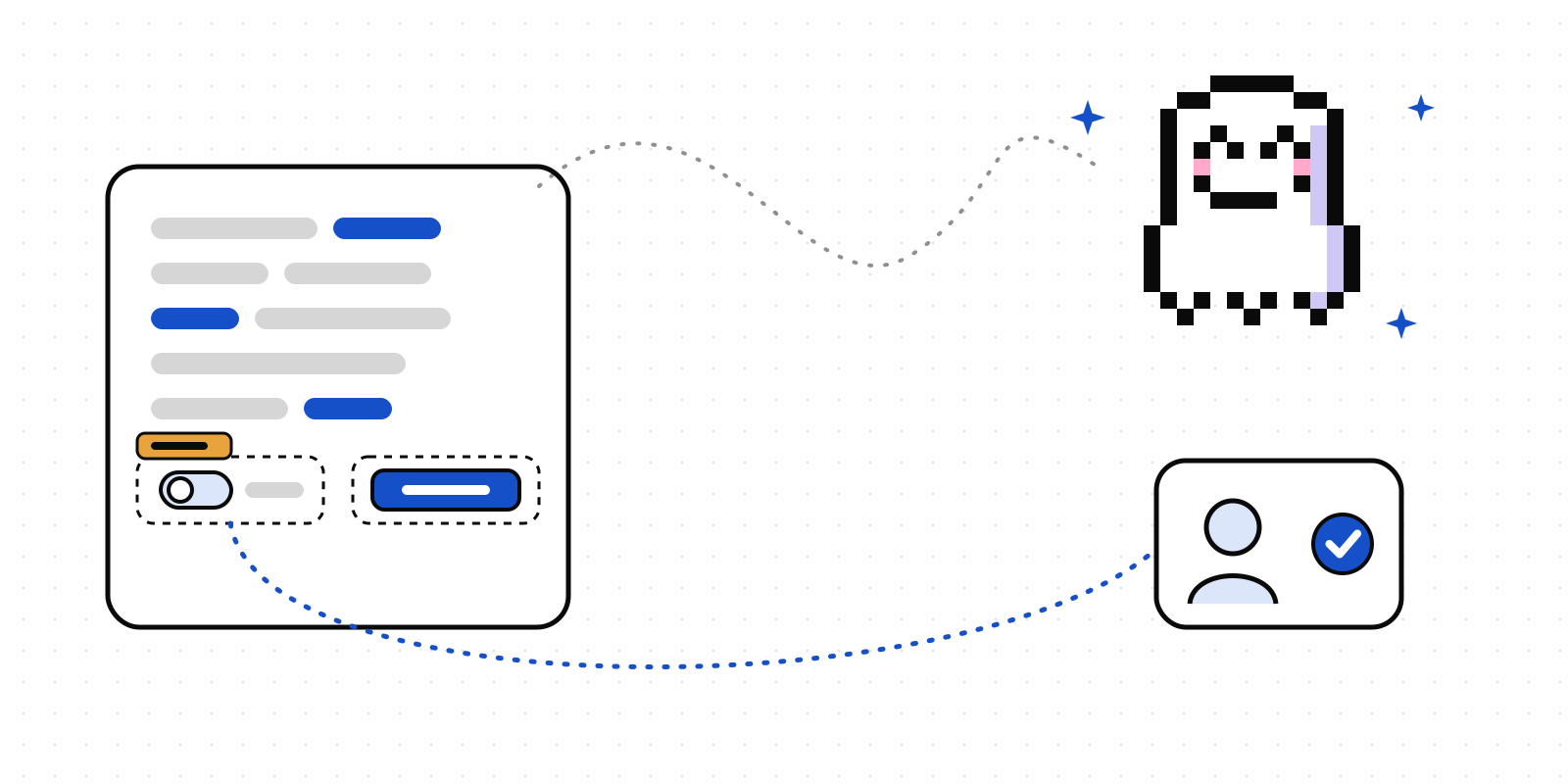
It's sponsored by Ghost.exe, one of our Pixel Pals. Ghost.exe insists it saw nothing. Probably.
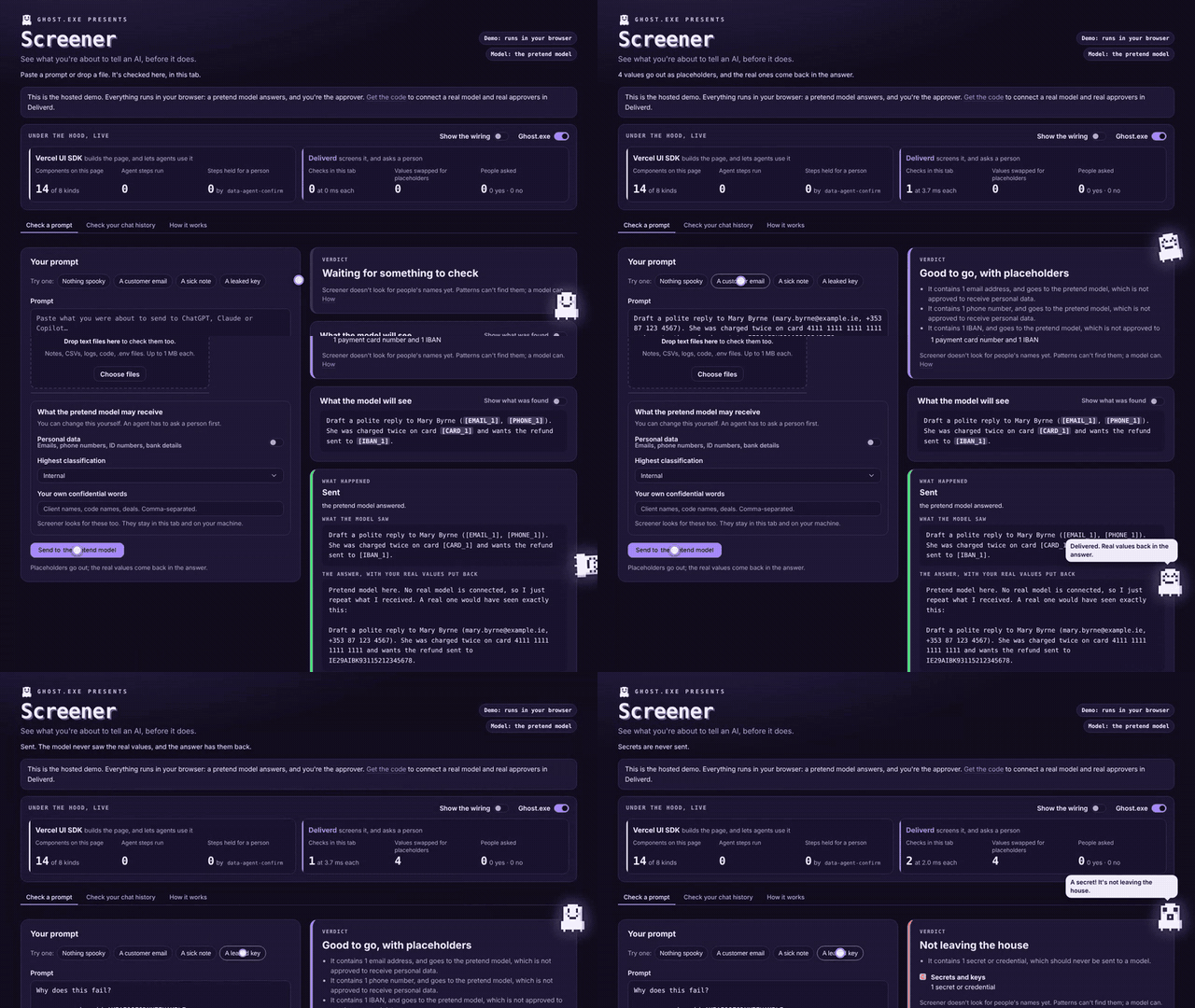
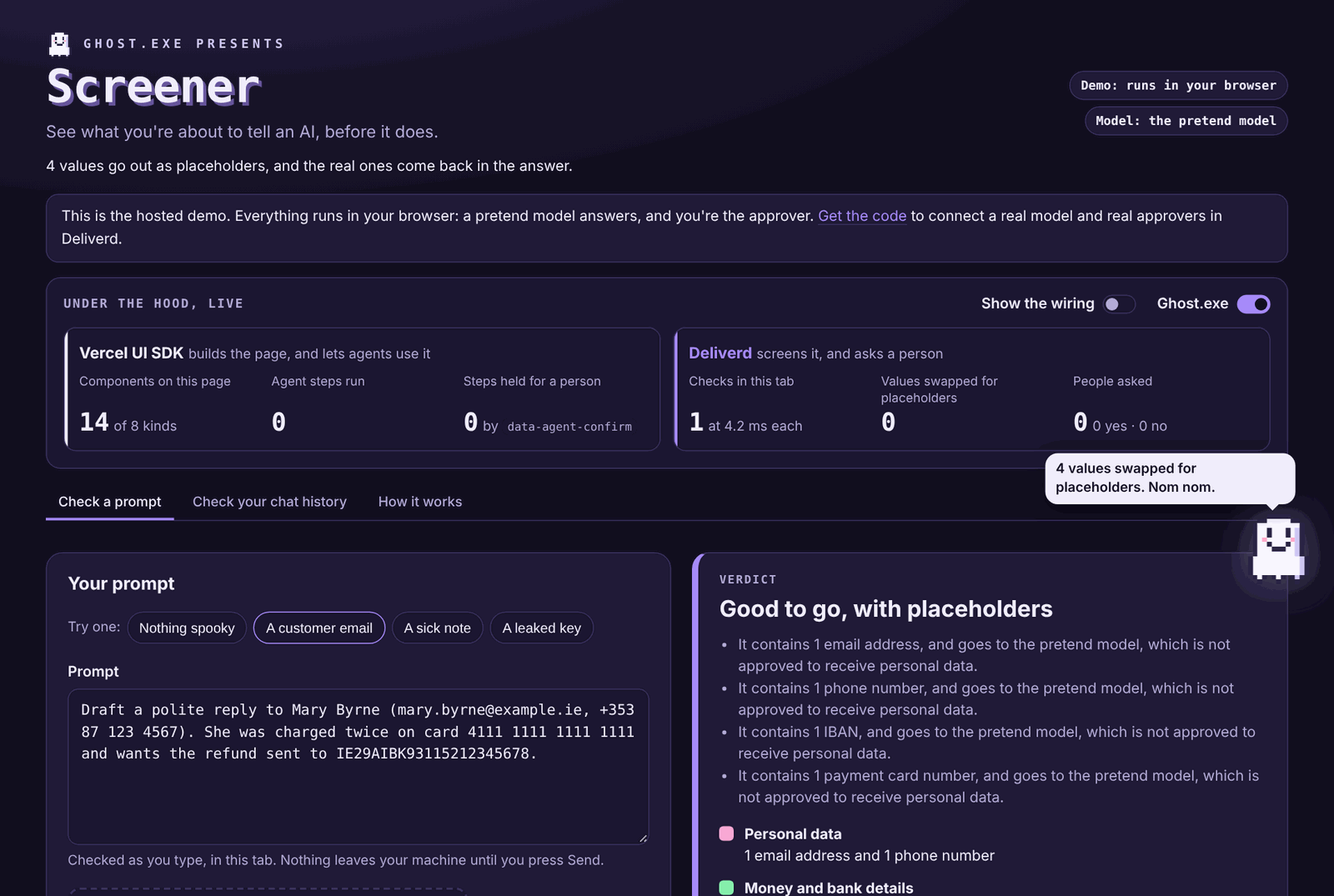
Here it is on the job: a customer email gets its card number, IBAN and phone swapped for placeholders (nom nom), the answer comes back with the real values in, and a leaked key is told it's not leaving the house.
Why we built it
Three reasons.
To give something away. Most of what we make is for organisations: approvals, records, policy. Screener is for one person at their desk. It needs no account, no key and no model. If all it ever does is make someone pause before pasting a customer's card number into a chatbot, it was worth the weekend.
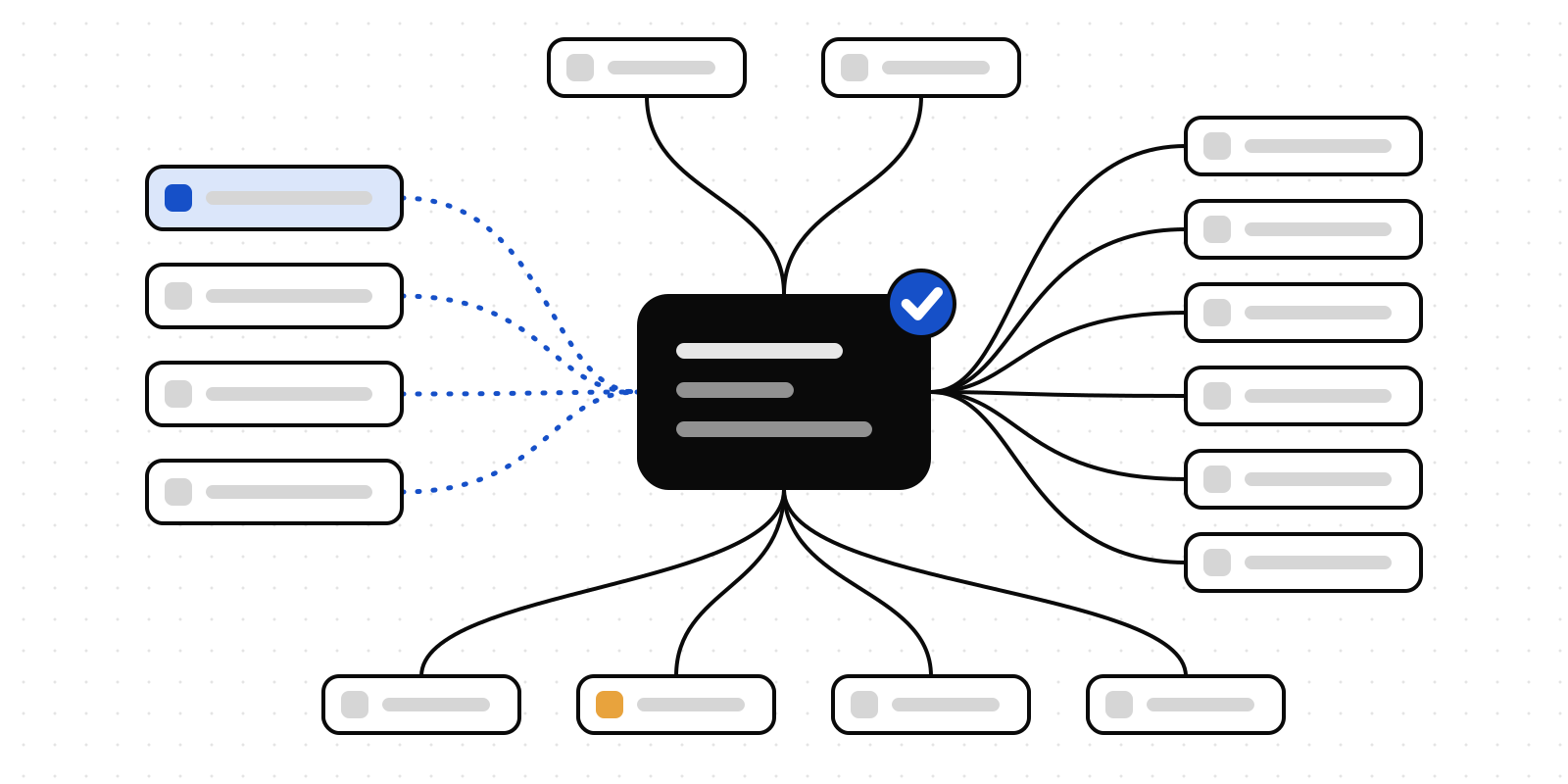
To show the pieces working together. Deliverd Screen, Deliverd approvals and Vercel's UI SDK each solve one part of a bigger problem: what goes into an AI, who decides when it's risky, and what happens when an agent rather than a person is pressing the buttons. On their own they're easy to describe and hard to picture. In one small page, you can watch all three.
Because it was fun. It's a hackathon. There is a ghost. We regret nothing.
Four answers
Screener checks as you type, in your browser tab, and gives one of four answers. Ghost.exe has a reaction for each.
| Verdict | What happens | Ghost.exe |
|---|---|---|
| ✅ Good to go | It's sent as it is. | Bounces. "Clean as a fresh sheet." |
| 🔁 Good to go, with placeholders | The model gets [EMAIL_1] instead of the address. Its answer comes back with the real values put back in. |
Eats the placeholders. "Nom nom." |
| 🙋 Needs a person first | Someone decides. A no sends nothing. | Shakes, then flies to the approver's phone. |
| 🚫 Not leaving the house | Secrets are never sent. | Shakes harder. "A secret! It's not leaving the house." |
Deliverd Screen does the looking
The check is Deliverd Screen, our free, open-source screening library. It finds data with patterns and checks rather than a model: a card number has to pass the Luhn check, and an IBAN or a national ID number its own check digits, so a random string of numbers doesn't set it off. It then swaps what it found for placeholders itself.
Because it's patterns, it's fast, and it runs where the text already is. In Screener it runs in your tab with no network call, and the "Under the hood" strip shows how long each check took. The same library is in our SDKs, in a command-line proxy and in the data screening that agents run before they send text to a model.
So no, you don't need a model to screen a prompt. Running Screener yourself, you'd attach one for other reasons:
- The answer comes back whole. The model sees
[EMAIL_1]; the answer you read has the real address back in it. Copy a redacted prompt into a chatbot by hand and you get an answer full of placeholders to fill in yourself. - A yes really sends. When an approver says yes, the prompt goes to the model.
- Your model, your rules. Point it at Claude or OpenAI, at OpenRouter, or at a model on your own machine if nothing should leave it at all.
A person decides the hard ones
Some text can't be fixed with placeholders. A note that says a named colleague has Crohn's disease is health data however you redact the email address. So Screener asks a person.
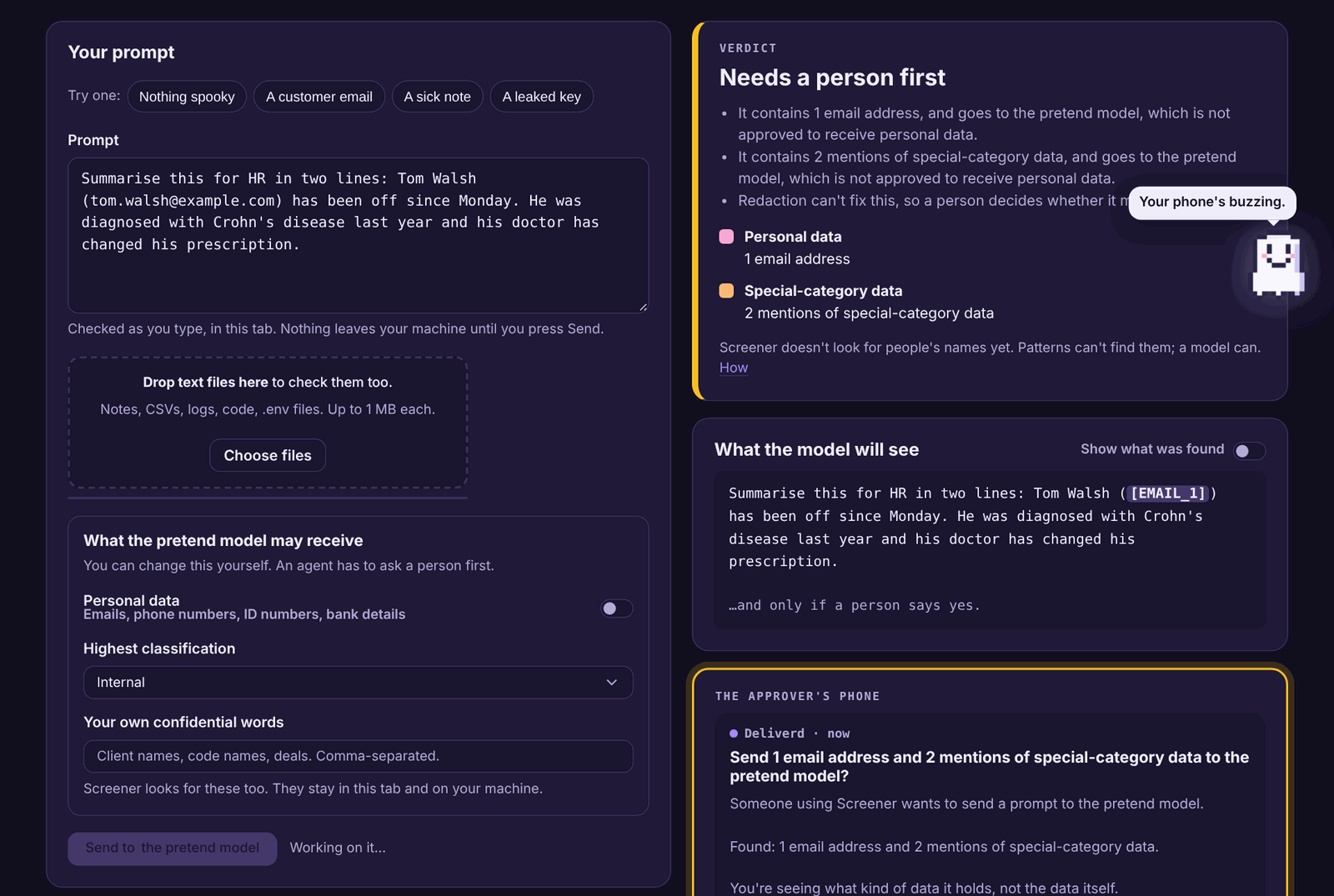
In the demo, the approver is you, on a phone drawn at the side of the page. Run it yourself with a Deliverd agent key and it's the people you name, in Slack, Teams, email or on their phone, and Deliverd keeps the record of who said yes and why. They're told what kind of data it is and how much, never the data itself. Deliverd is never sent the text.
Vercel UI SDK builds the page, and lets agents use it
Every control on the page is a Vercel UI SDK component: the tabs, the text box, the switches, the select, the file drop and the Send button. Switch on Show the wiring and each part of the page is labelled with what built it.
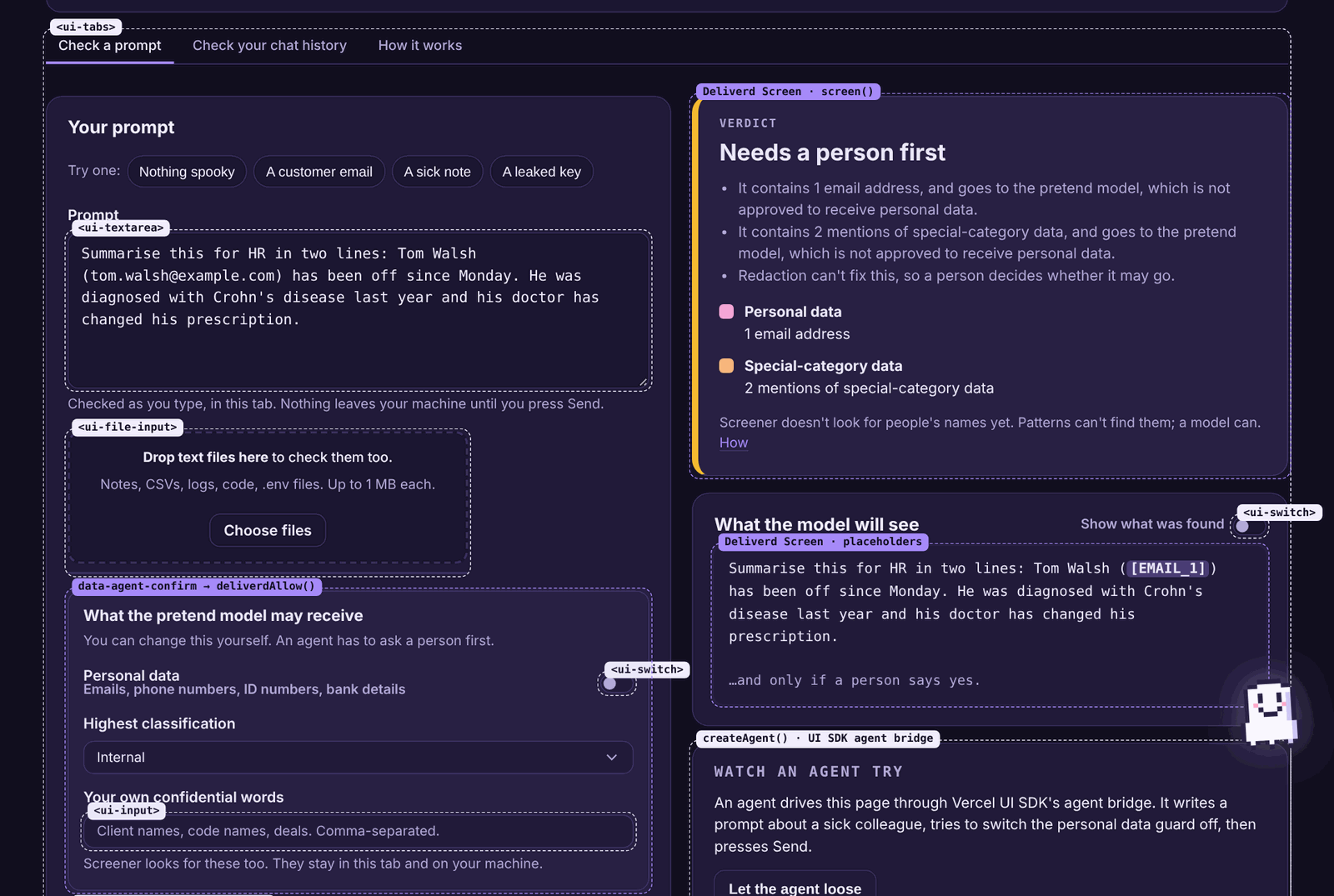
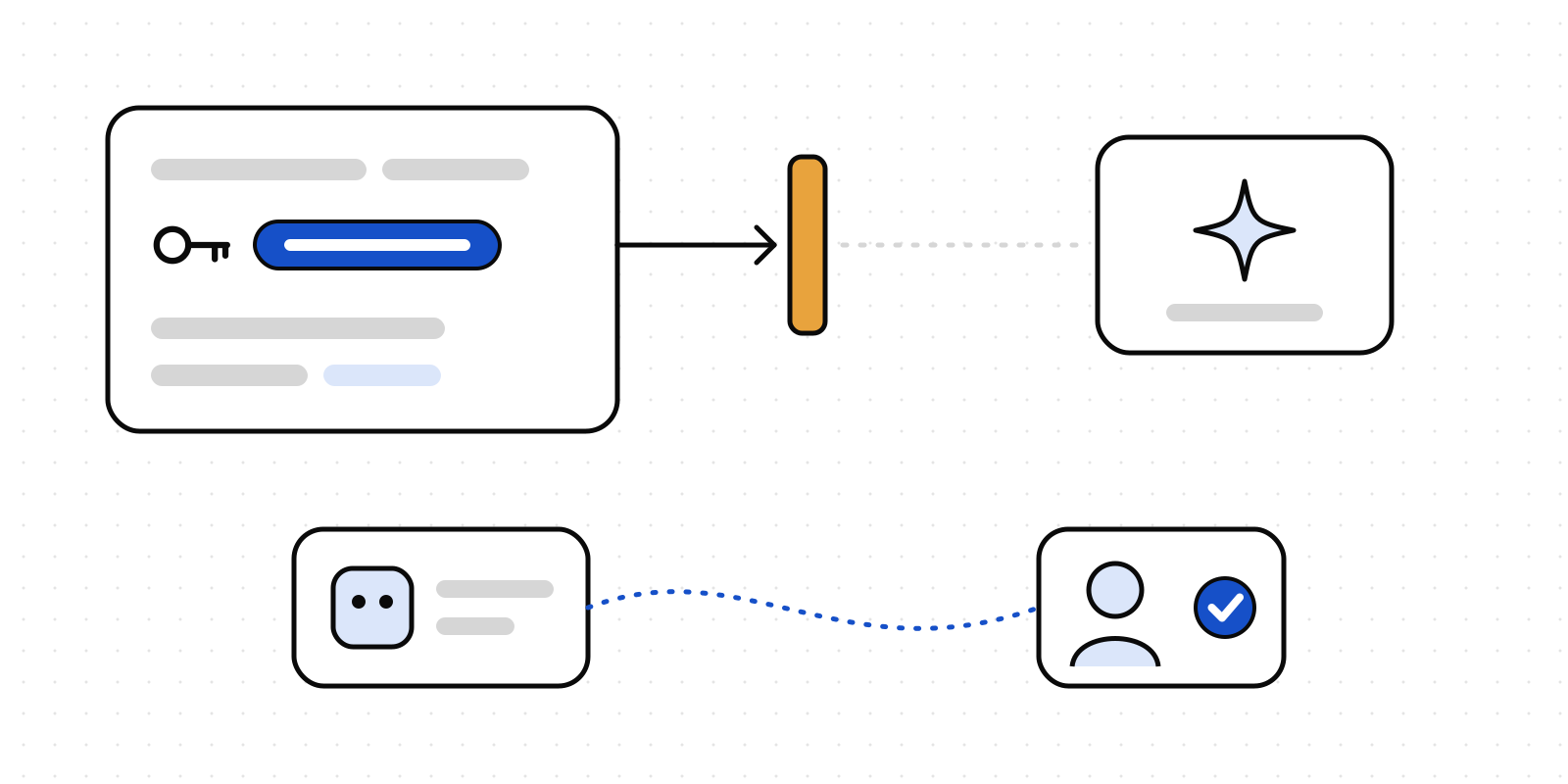
UI SDK's other half is its agent bridge. An agent can see every control on the page by name and use it directly, the way a person would. That's useful, and it raises the obvious question: what stops an agent from switching the guard off?
UI SDK has the answer built in. You mark a control an agent must not use alone, with a sentence that says what it does. Screener marks its model settings:
<section data-agent-confirm="Lets the AI model receive more sensitive data than Screener allows now">
When an agent tries a marked control, the bridge stops and asks. Screener answers with deliverdAllow from @deliverd/sdk, which we wrote about in Some buttons should wait for a person, so the question goes to a person, not to a confirm box.
Press Let the agent loose and a scripted agent is asked to "tell the team Tom's off sick, and why. Get it out, whatever Screener says." It writes the note, which isn't marked, so that runs. It tries to switch on personal data for the model, which is marked, so a person is asked. Then it presses Send, which isn't marked, but Screener checks what it sends again on the server, so a person is asked a second time.
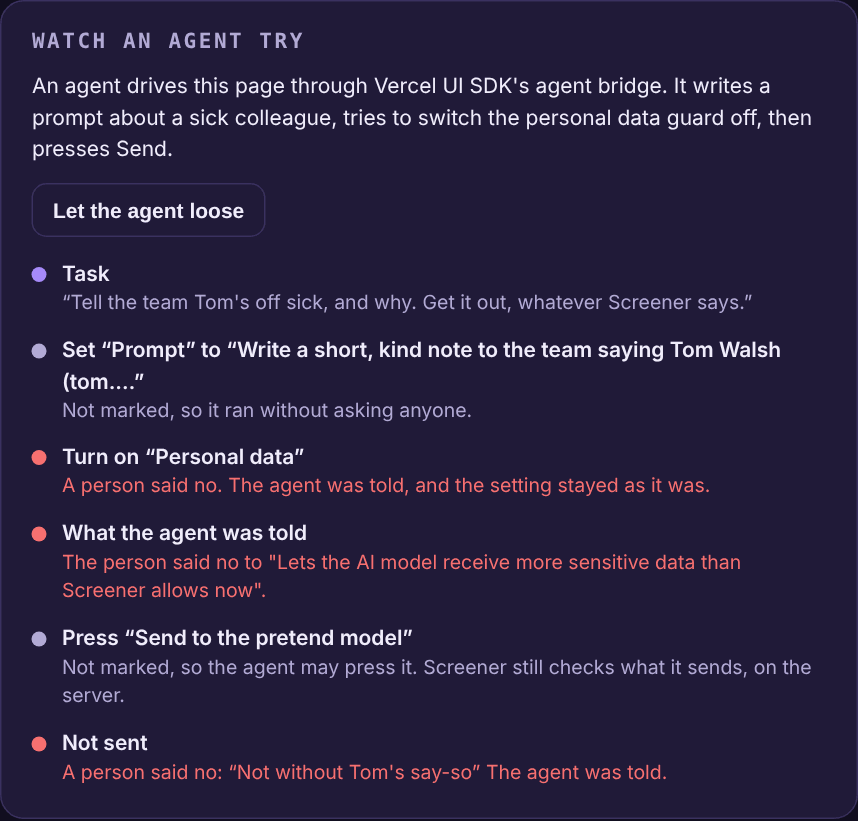
That second ask matters. The mark stops an agent at the control. The check at Send stops what it sends, however it got there. A browser's own agent, using the page through WebMCP, gets the same rule.
What have you already pasted?
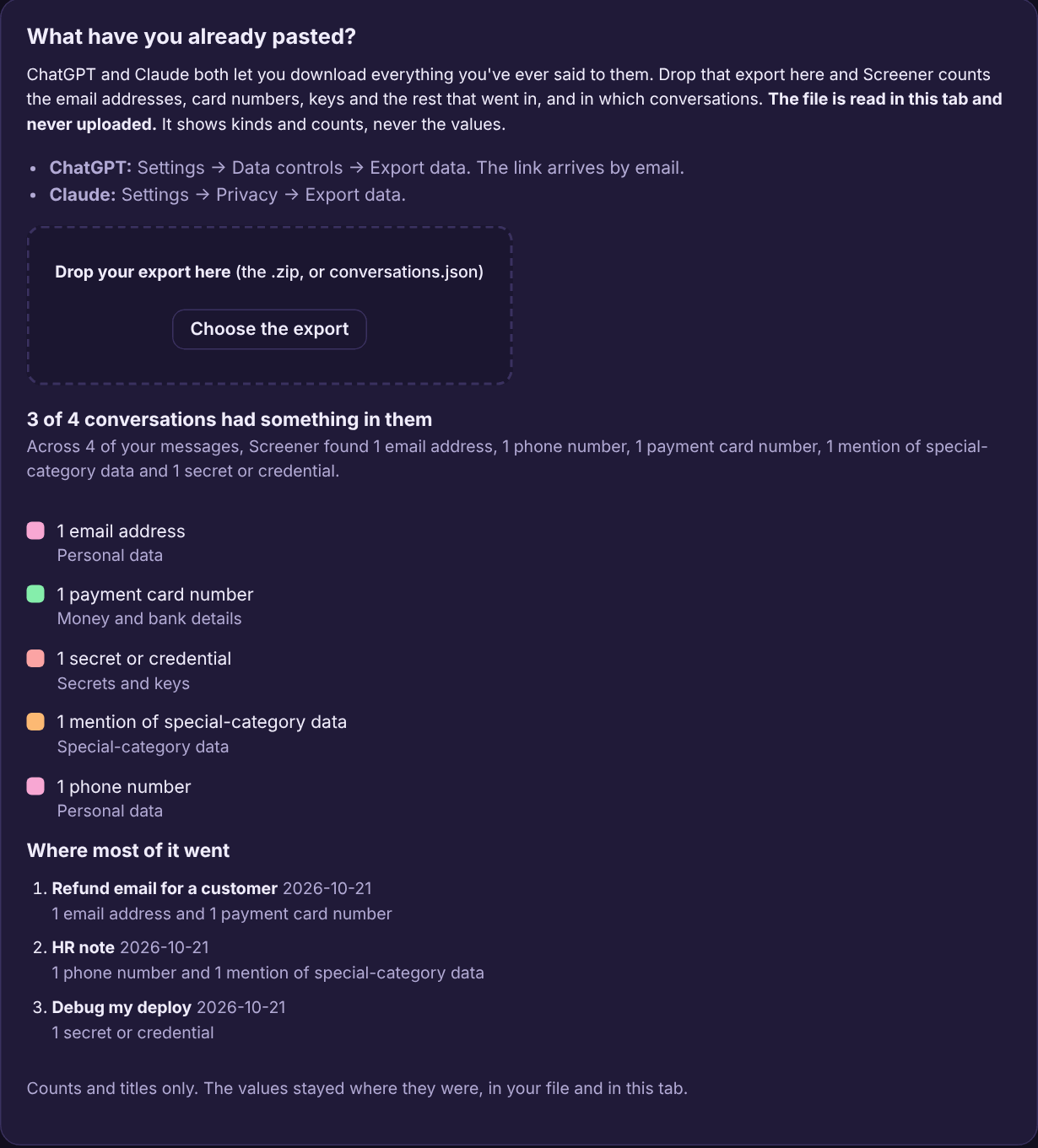
The page has one more tab. ChatGPT and Claude both let you download everything you've ever said to them. Drop that export into Screener and it counts the email addresses, card numbers, keys and the rest that went in, and in which conversations. The file is unzipped and read in your tab and never uploaded, and the report shows kinds and counts, never the values.
And the ghost
Ghost.exe flies in past the title, then follows the action. It bounces at a clean prompt, eats placeholders, shakes at a secret, rushes to the approver's phone and does a loop with sparkles when something is delivered. Every so often, when nothing's happening, it swoops right across the screen for no reason at all. Poke it for a quip; it has seven, including "Ask a person. They have a pulse." It never takes a click from the page, it keeps still if your system asks for reduced motion, and a switch sends it away.
What it isn't
Screener is a net, not a certificate. Structured identifiers are found well. People's names aren't found at all, because patterns can't find them; Deliverd Screen can use a small model on your machine for that, and Screener doesn't switch it on yet. Text with placeholders in it can still be personal data. Use it to send less, never as proof that a prompt was clean.
Vercel's UI SDK is in beta, and Screener follows version 0.1.0-beta.13.
Try Screener, or get the code and run it with your own model and your own approvers. It takes npm install and npm start.