Check what your agents send to a model, before they send it
20 October 2026 · Deliverd Engineering Team · 5 min read
Every AI agent has the same quiet habit. It gathers whatever context it can find, a claim file, a support thread, a spreadsheet of customers, and sends all of it to a model. Most of the time nobody checks what was in it. A customer's email address goes along with the question. A bank account number rides in on a pasted invoice. An API key someone left in a config file ends up in a prompt to a model your firm never approved for anything more sensitive than marketing copy.
Most firms deal with this in one of two ways. They forbid sensitive work on the cheaper, general-purpose models and pay for a private deployment of everything, just in case. Or they write a policy, hope people follow it, and find out they didn't when someone asks for the record.
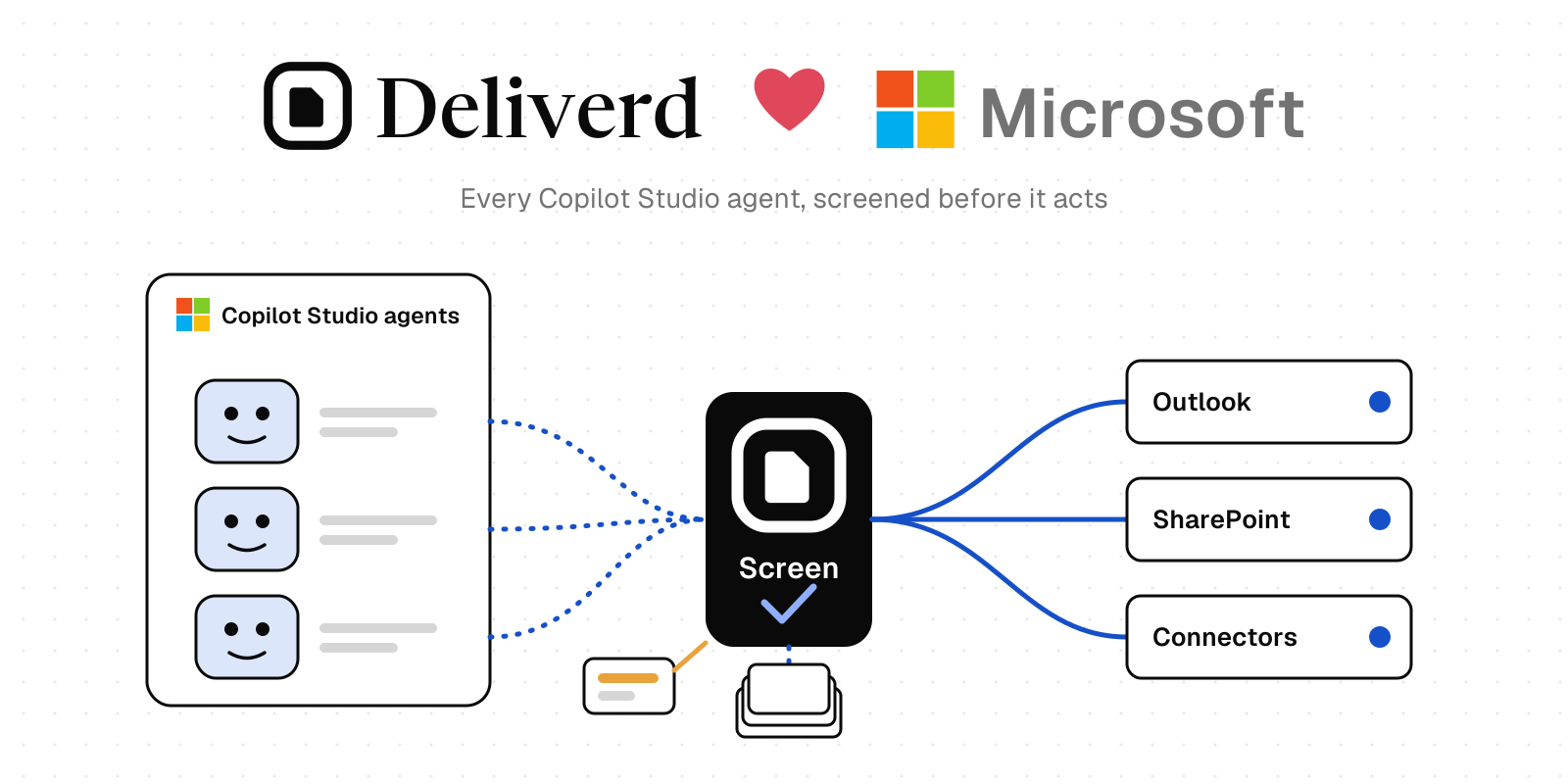
Deliverd now has a third way. Data screening checks a prompt before it goes, against the model it's going to.
How it works
- The agent asks first. Before sending text to a model, it calls
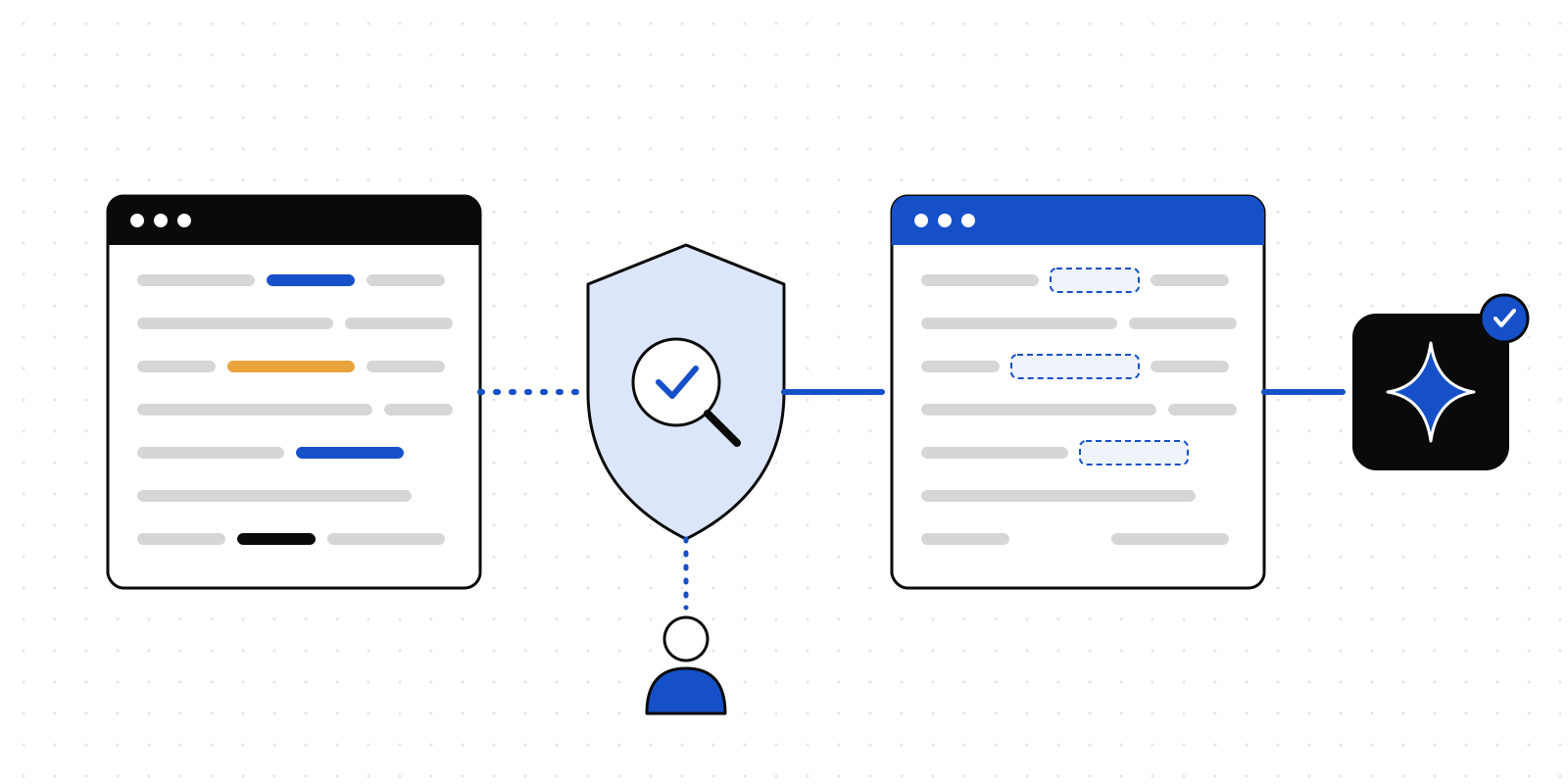
deliverd.screen()in the TypeScript or Python SDK,screen_dataover MCP, orPOST /api/v1/screen, and names the model's record in your AI register. - Deliverd finds what's in it. Email addresses, phone numbers, IBANs, card numbers, national identifiers such as PPS and National Insurance numbers, API keys, private keys and passwords, special-category data such as health or criminal records, and your own confidential terms: client names, code names, deals.
- It checks that against the model's approval. Your AI register already says what each model may receive: the highest data classification, and whether personal data is allowed. The check compares what it found with that approval. A model you have approved for restricted data gets more than one you approved only for internal use.
- It gives one of four answers.
- Allow: nothing the model isn't approved for, so send it as it is.
- Redact: swap what the model isn't approved for with placeholders such as
[EMAIL_1]. Send the rest, and the SDK puts the values back into the model's answer. - Ask a person: the question goes to someone as an ordinary Deliverd approval, in Slack, Teams, email or the app. They see the redacted text, never the original.
- Deny: don't send it. Secrets are refused by default, because a key sent to a model is a key disclosed.
Administrators set what happens to each kind of finding under Agent governance → Data screening. There's also a box where you can paste a prompt and see the answer, run entirely in your browser.
Why it's useful to a business
Use the cheaper model for more of the work. If every prompt might contain anything, every prompt needs your most expensive, most locked-down setup. Once you know what's in a prompt, the routine ones can go to the general-purpose model you've approved for internal data, with the identifiers taken out. Only the work that really needs the private deployment goes there. How much that saves depends on your mix of work and your models, but it's a decision you can now make prompt by prompt instead of all at once.
Fewer incidents to clean up. An identifier that never reached a model's provider is one you don't have to explain, assess or report. A key that was never sent is one you don't have to rotate at two in the morning.
People review the cases that matter, not every case. Without a check, the safe policy is to have a person look at everything. With one, most prompts are allowed or redacted automatically, and only the ones that need a decision reach a person, with the reason in front of them.
A record you can show. Every check goes in the audit trail: which agent, which model, what kinds of data and how many, and the verdict. When a regulator, a client or your DPO asks what your agents sent to which model, you have the answer.
It ties into what you've already done. The approvals come from the AI register, the same records your governance tasks, supplier due diligence and EU AI Act readings use. You don't keep a second list of which model may have what.
The text doesn't have to reach us
The detectors are part of the SDKs. When an agent calls deliverd.screen(), the checking happens on the agent's own machine, and Deliverd receives only counts: two email addresses, one IBAN. The verdict comes back, and the SDK does the redacting locally. If you send text over MCP or the API instead, it's checked in memory and never stored. Either way, the audit trail holds counts and verdicts, never a value that was found.
What it won't do
We'd rather say this plainly than have you find out. Structured identifiers, the ones with a recognisable shape and a checksum, are found well. People's names are not found reliably, because a name looks like any other word; add the names that matter to you, such as clients, as confidential terms. And redacted text about a person is still personal data under GDPR. Data screening means fewer identifiers sent and a record of what was. It isn't proof that a prompt was clean, and it doesn't replace your own judgement about what a model should see.
Getting started
Data screening is included in every paid plan, from Team up. On Free it runs report-only: your agents' checks are recorded and nothing is held back, so you can see what it would have stopped before you pay for it to stop anything. Open Agent governance → Data screening to set the policy and add your terms, then have your agents call screen() before they send:
const screened = await deliverd.screen(prompt, { aiSystemId: summariser.id });
if (!screened.allowed) return; // refused, or a person said no
const answer = await model.generate(screened.text);
return screened.restore(answer);
That's four lines between your agent and a model it was never meant to tell everything.