An agent that can only reach Deliverd
24 November 2026 · Deliverd Engineering Team · 5 min read
Every company that lets an agent loose asks the same question sooner or later: how do we know it asks first?
The usual answer is a code review. Someone reads the agent, sees that it calls Deliverd before it pays an invoice or deletes a record, and signs it off. That holds until the next change, the next library, or the next agent somebody builds over a weekend. A review checks what the code does today. It can't promise the agent has no other way to act.
We wanted an answer that doesn't depend on reading code. Microsoft Entra Agent ID gave us one.
Agents get their own identity now
Entra Agent ID gives an AI agent its own identity in your directory, the way a person has a user account. Agents are made from a blueprint, a template that sets who sponsors them, who owns them and what they may reach. Every agent made from the blueprint inherits it.
We've built the Deliverd Agent Blueprint. Every agent made from it gets one permission, Agent.Act on Deliverd's API, and signs in to Deliverd with its own Entra token. No key to store, so no key to leak.
A blueprint alone isn't enough
We'll be straight about this, because it's the part most write-ups skip. A blueprint is an identity template. It never sees the agent's code. On its own it cannot make an agent use Deliverd. An agent made from our blueprint could still hold a token for something else and act directly.
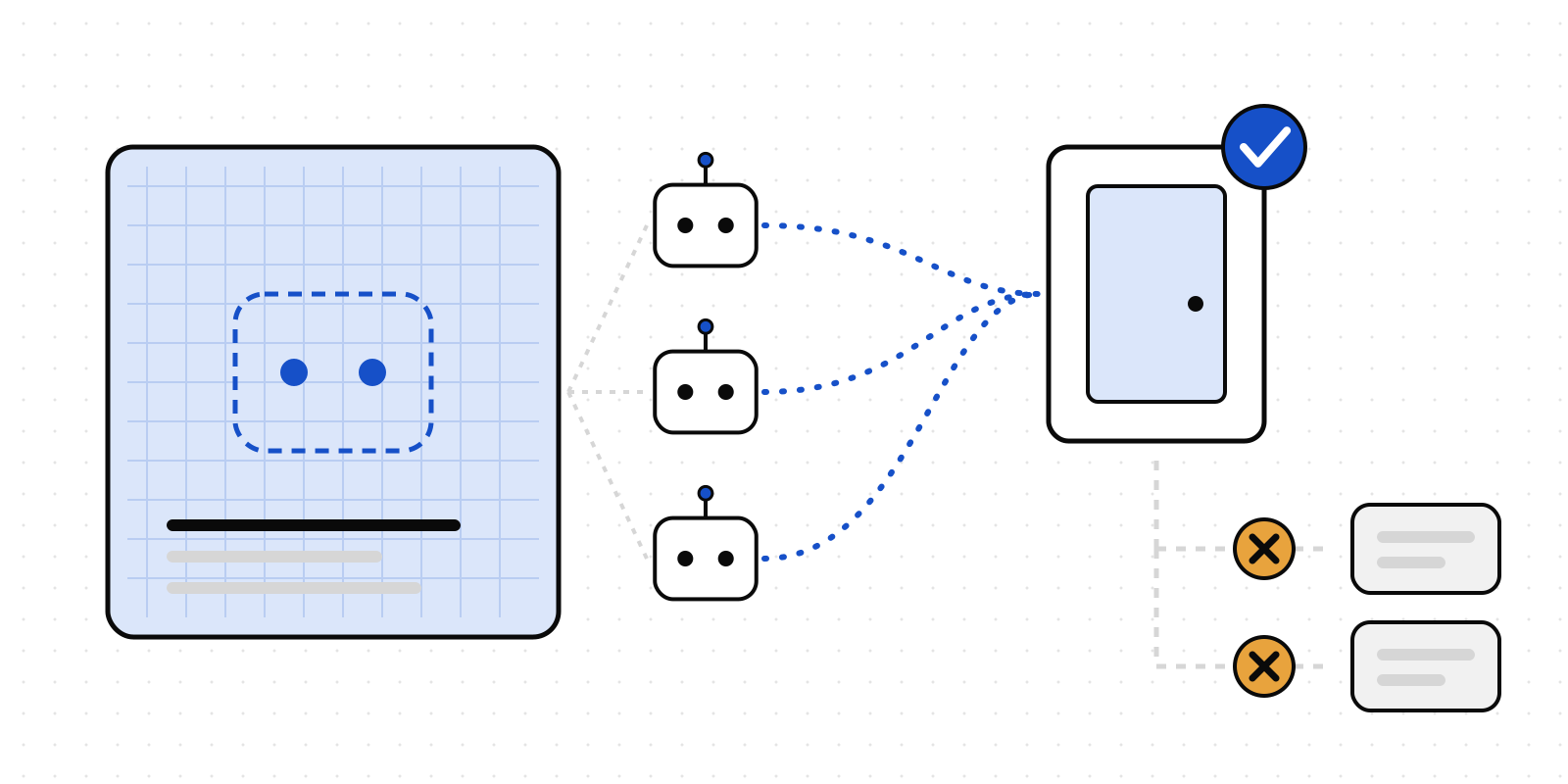
What closes that gap is Conditional Access. We ship a policy with the blueprint that says, in plain terms: agents made from this blueprint may get a token for Deliverd, and for nothing else. Entra checks that rule every time one of those agents asks for a token. Not Deliverd, and not the agent. Microsoft.
So if the agent wants to touch your mail, your files or your finance system, the only door open to it is Deliverd. Behind that door a named person, or your organisation's policy, says yes before it acts, and the yes is recorded.
What we saw in our own tenant
On 22 November we ran the whole thing in Deliverd's own Microsoft tenant.
- The blueprint went in with one script.
blueprint.ps1created the blueprint, its principal, theAgent.Actgrant and a test agent identity. - The policy went in report-only. We checked its impact before turning it on, as you would in production.
- With the policy on, Entra did exactly what it says. The test agent asked for a token for Deliverd and got one. Deliverd's API answered. Then it asked for a token for Microsoft Graph, and Entra refused it with
AADSTS53003, the code for "blocked by Conditional Access". The sign-in log showed the policy blocking the Graph request and not applying to the Deliverd one.
The first sign-in creates the agent, switched off
Once an administrator registers the blueprint in Deliverd, under Agents → Agents, nobody has to set up each new agent by hand. The first time an agent made from the blueprint signs in, Deliverd creates its agent record for you.
It starts turned off. Until an administrator turns it on, every call gets a plain answer saying the agent is waiting. An agent that appears in your directory on Friday night doesn't get to act on Saturday morning just because the blueprint allowed it to exist.
When we turned our test agent on, it asked a person for an approval using nothing but its Entra token. Deliverd marked the request medium risk rather than low, because it was the agent's first request and there was no usual pattern to compare it with yet. That's the behaviour you want from a brand-new agent.
What you need, and the catches
- Licences. Conditional Access for agents needs Microsoft Agent 365 with Entra ID P1 or Microsoft 365 E3, or Microsoft 365 E7. Parts of Agent ID are still in preview.
- Security Defaults must be off. While Security Defaults is on, Entra evaluates no Conditional Access policy and won't let you enable one. Put an MFA-for-everyone policy in its place first, with a break-glass administrator excluded. We hit this ourselves.
- APIs Entra doesn't protect. Conditional Access can't stop an agent using its own API key for a service outside Entra. Put that key in a Deliverd gateway instead, where it's sealed and never shown again. The agent calls the gateway with its Entra token, which the policy already allows. Then roll the key at the provider and restrict it to the gateway's address.
Try it
The script shows what it will do before it does anything:
./blueprint.ps1 -TenantId <your tenant ID> -WhatIf
./blueprint.ps1 -TenantId <your tenant ID> -AgentName "Invoice agent" -ConditionalAccess
The policy is created in report-only mode. Check its impact, then turn it on. Every step, including registering the blueprint in Deliverd, is in the Entra Agent ID guide.
Where this fits
This is the identity end of a bigger picture. Later this week we'll cover what an agent may send, through Microsoft Purview, and what your security team sees of it in Microsoft Sentinel. In one line:
Entra decides what an agent can reach. Purview decides what it can send. Deliverd decides what it does with it, and who said yes.
Everything Microsoft-related we've built is listed at deliverd.dev/microsoft.
Microsoft, Entra, Microsoft Graph, Microsoft 365, Purview and Agent 365 are trademarks of the Microsoft group of companies. Deliverd is an independent product and is not affiliated with or endorsed by Microsoft.