€9,000 twice is €18,000
18 November 2026 · Deliverd Engineering Team · 4 min read
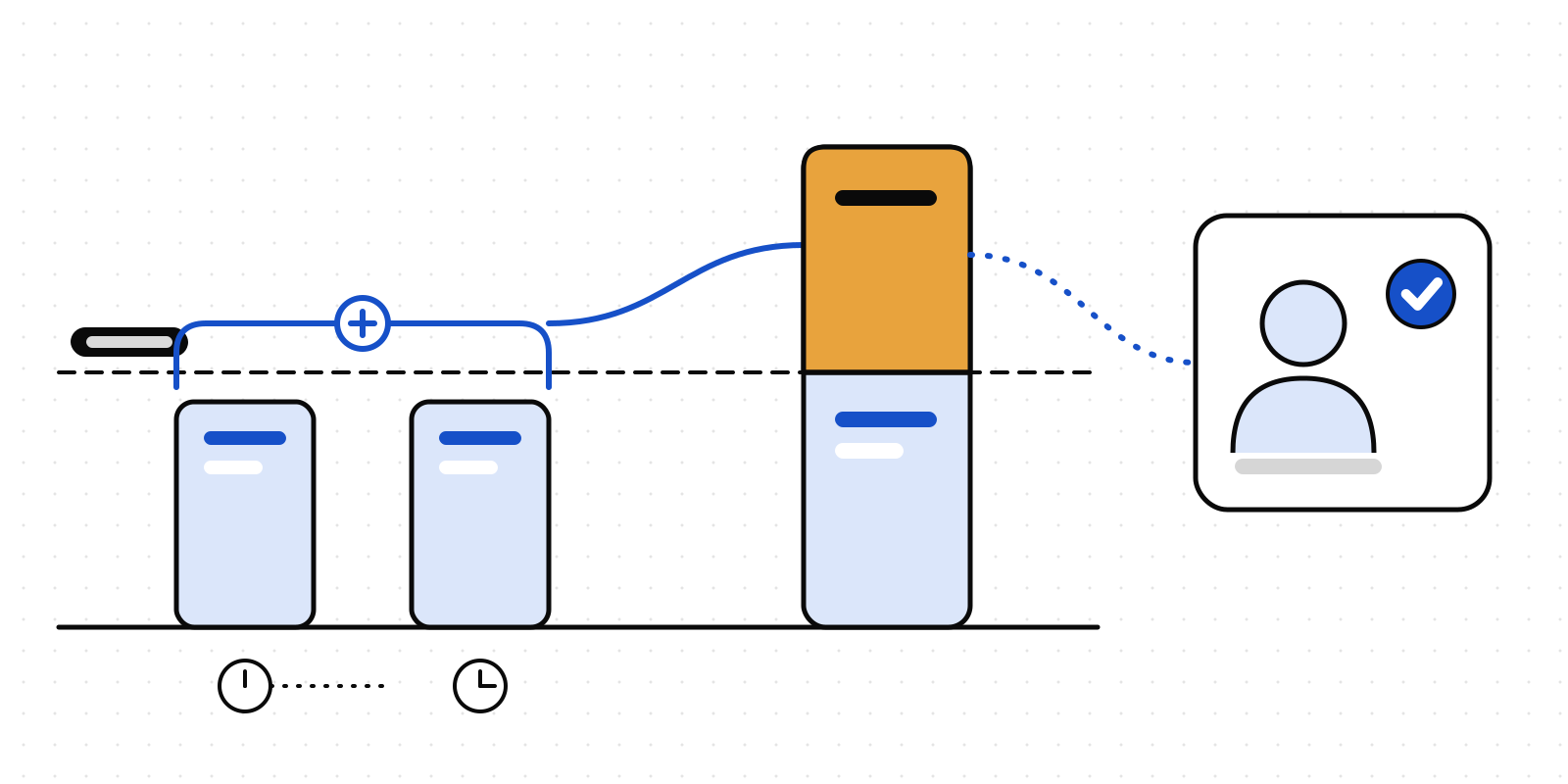
Most finance teams have a rule like this one: a payment over €10,000 needs a person to agree. It works well for people, because a person paying a supplier €18,000 raises one payment of €18,000.
An agent doesn't always. It might pay an invoice in two parts because the invoice has two lines. It might retry after a timeout with the balance. It might be steered by an email that asks, politely, for the payment to be split. None of that needs bad intent. The result is the same either way: two payments of €9,000 to the same new supplier, an hour apart, and each one sails under a rule about €10,000.
A limit that judges each request on its own is a limit an agent can walk under without meaning to.
A rule that adds up
Gate rules in Deliverd can now read history. A new condition, match.history, works out a running total over the requests your agents have already made, and the rule decides on the total, this request included.
{
  "name": "Payments to one recipient over €10,000 in an hour",
  "effect": "require_human",
  "match": {
    "actions": ["finance.payment"],
    "history": [
      {
        "measure": "sum",
        "field": "amount",
        "sameFields": ["recipient"],
        "withinMinutes": 60,
        "is": { "gt": 10000 }
      }
    ]
  },
  "params": { "approvers": ["finance-leads"] }
}
The first €9,000 goes through. The second is added to it, the total is €18,000, and a person in finance-leads decides.
A few things about how it counts:
- It reads Deliverd's own record, not the agent. The total comes from the gated requests Deliverd has stored, with the input each one was checked against. An agent can't describe its way out of it.
- It counts what could still be paid. Requests that were allowed, approved or are still waiting count. Refused, rejected, cancelled and expired ones don't, because nothing went out. An approved request counts at the amount the person approved.
- You choose the grouping. Group by recipient, by any other input field, or by agent. Or count requests instead of adding amounts: five refunds to one customer in a day, for example.
- A gap never lets anything through. If the earlier requests can't be read, a rule that asks a person or refuses treats its condition as holding. A rule that allows does not.
The approver sees why they were asked
A person who is asked to approve €9,000 will reasonably wonder why. So the approval card says it, in Teams and Slack too: for example, "2 finance.payment requests with the same recipient Acme Ltd in the last hour together total €18,000.00 of amount". That line is also on the approval's receipt, in the list of what was flagged.
Each gate's page, opened from Agents → Agent governance, shows the running total and links to the earlier requests that were counted. The evidence pack carries the same.
Even without a rule, the approval card now does a smaller version of this. When a request has an amount and a counterparty, and the same requester has sent requests to that counterparty in the last hour, the card adds them up and says so. It's information for the approver and changes no decision.
Add one
In the app, go to Agents → Rules → Policy builder and choose Add a running total. The rule's sentence reads it back to you in plain words. From code, add history to a rule in your policy file and push it with the CLI.
Before you put it in force, replay it against your recent decisions to see what it would have changed. Replay rebuilds each past request's total from the requests before it, so totals near the start of the window can read low, and the result says so. A policy file's test cases can carry their own earlier requests, so the rule is tested like any other code.
Rules with conditions are part of the policy engine, on Business Starter, Business and Enterprise.
What it doesn't do
Two requests that arrive in the same instant are each judged before the other is recorded, so a burst of parallel calls can each see a total without the others. For an amount that must never be exceeded, pair a running total with a limit on each request. Existing rules without history work exactly as they did, and read nothing extra.
The policy docs have the full condition and a worked example. If your agents move money, try it on one action first, and tell us what your controllers want it to count next.